Showing posts with label it1507. Show all posts
Showing posts with label it1507. Show all posts
Wednesday, April 12, 2017
How To Unlock Pattern iTel it1505 itel it1506 and it1507 Successful
How To Unlock Pattern iTel it1505 itel it1506 and it1507 Successful
Power Off the phone or remove th e battery press power botton while holding volume down key - immediatly release power key press and hold volume down key - simultaneously now you will see android recovery logo/mode.

Then scroll down to wipe/factory reset volume down to yes /// wipe data/factory reset.
Also press volume up to reboot the device.
Congratulation youve done resetting/formatting everything on your itel smartphone.
If you need more help you can call us or whatsapp this number 08067611897.
If you need more help you can call us or whatsapp this number 08067611897.
Available link for download

Thursday, April 6, 2017
Unlock Pattern Security Locked on iTel 1505 it1506 it1507 and it1508
Unlock Pattern Security Locked on iTel 1505 it1506 it1507 and it1508
Do you know the iTel android also have specific key combo for booting into recovery mode which is mostly needed whenever we need to factory reset or hard reset the phone. Here, I would discuss how to put your iTel 1505 android device in recovery mode for factory reset, soft format or for enabling USB Debugging on the iTel android phone even when the pattern is locked or password restricted.

Because iTel androids are SpreadTRUM androids, they have slightly different methods compare to other android devices like HTC, Sansung, Tecno amongst others which have specific key combo for booting into recovery mode from which you can perform a hard reset, factory reset, wipe user data or clean format the iTel android, itel it1506 to be specific.
How to Boot iTel 1505 to Recovery Mode and Hard Reset or Wipe
1. Power Off your iTel 1505,it1506, it1507 and it1508: either by removing the battery from the phone or by powering it off normally, the first thing you need to do is just power off the phone.
2. Press And Hold the Power Button for about 3 Seconds.
NOTE: Some iTel androids such as the iTel it1502 volume button should be pressed for up to 15 seconds at this stage.
2. Press And Hold the Power Button for about 3 Seconds.
NOTE: Some iTel androids such as the iTel it1502 volume button should be pressed for up to 15 seconds at this stage.
3. While Still Holding the Power Button, press and hold Volume Down (Volume -) Buttion for about 3 Seconds.
I.E Now, you should be pressing both Volume Down + Power Buttons together.
4. Now, release both buttons i.e Power Button and Volume Down button at once.
4. Now, release both buttons i.e Power Button and Volume Down button at once.
5. Shortly after releasing both buttons, an android icon shhould appear on your iTel 1505 screen. Now, press the Volume Up (Volume +) button.
If You Doesnt understand Watch this video now.
NOTE:
1. Use the Volume-up to navigate up.
2. Use the Volume-down to navigate down.
3. The Power button to select.
4. This methods have only been used for iTel 1408, 1505,it1506, it1507 and it1508.
5. I believe the same method should work with all iTel android devices thus; for booting all of them to recovery mode.
1. Use the Volume-up to navigate up.
2. Use the Volume-down to navigate down.
3. The Power button to select.
4. This methods have only been used for iTel 1408, 1505,it1506, it1507 and it1508.
5. I believe the same method should work with all iTel android devices thus; for booting all of them to recovery mode.
For more info about this tutorial just contact me direct via my whatsapp number...+2348067611897...
Available link for download
Thursday, March 23, 2017
Easy Way To Unlock iTel it1507 it1507 and iTel it1702 Pattern Lock Without Using any Softwares
Easy Way To Unlock iTel it1507 it1507 and iTel it1702 Pattern Lock Without Using any Softwares
Assalam alaikum, Still I want to talk about iTel smartphones because I still recieve many complain in my facebook inbox and my mail box all about iTel unlocking. Many of the people are coming with security and pattern problem that is on itel smartphone.
So, today I still find a little time for helping my blog readers that are coming from various country in African continent, from Nigeria, Kenya, Tanzania, Ghana, Gambia, Zimbabwe, Somalia etc.
- Firstly switch OFF your itel phone
- Then Press the POWER KEY first and VOLUME DOWN KEY at thesame time.
- Within a second the iNOTE will display on your phone screen.
- Now Quick and release all the keys you held and leave the phone.
- You will see something like this "No Command." see the picture below.
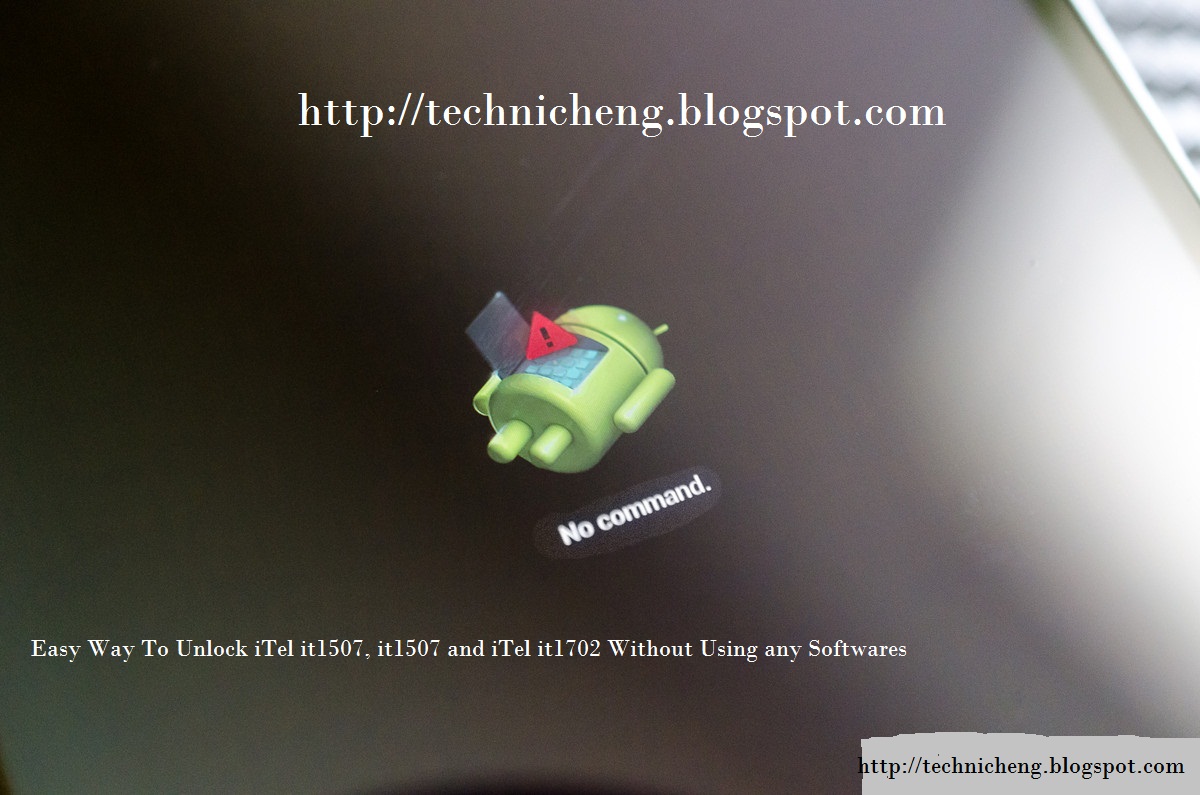
Now the recovery mode were display on the above photo.
Press the "VOLUME UP key" for iTel it1507 and it1506 you will see something like this in the picture below.
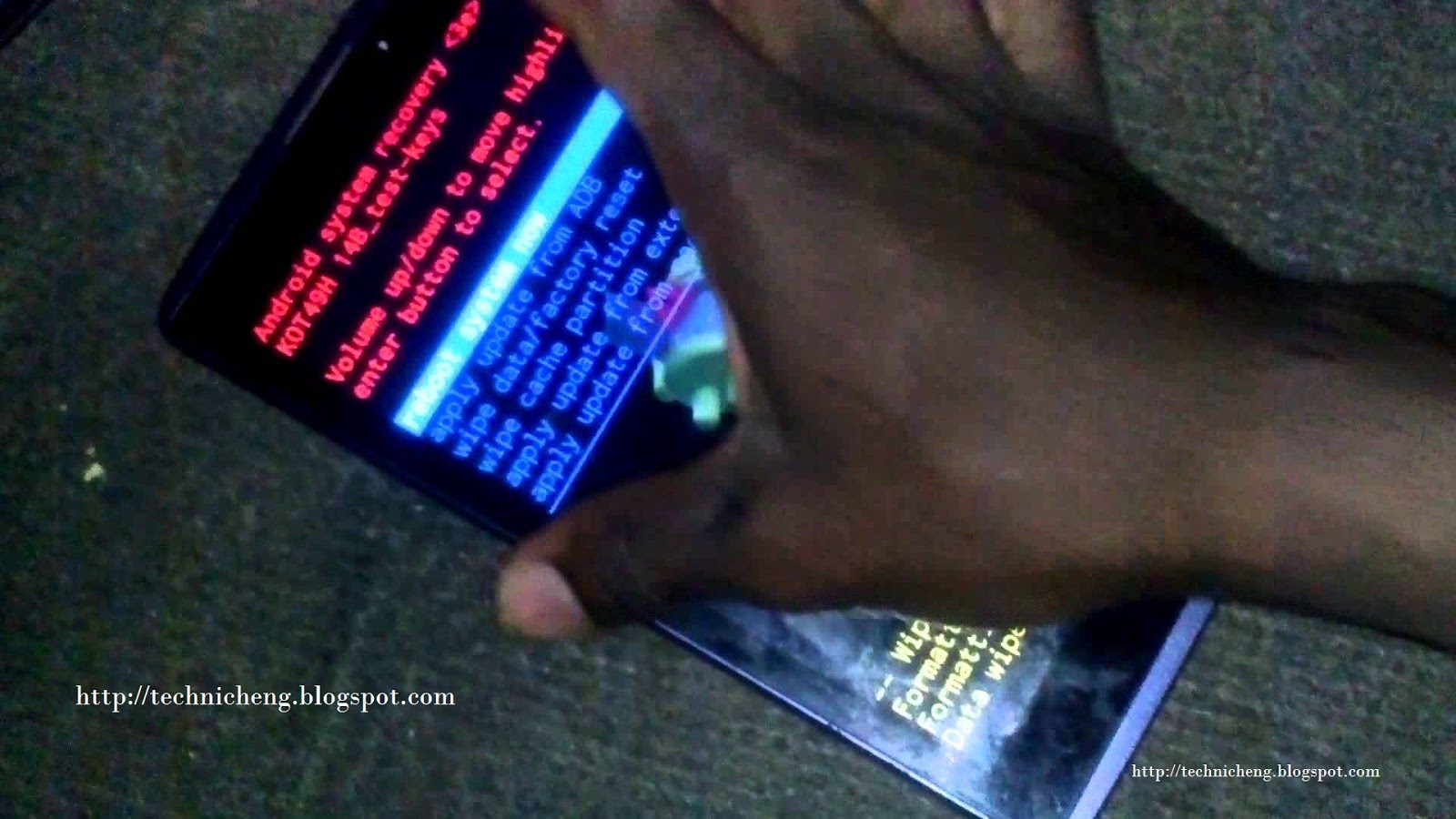
Now press Volume Down Key to scroll down on "WIPE DATA/FACTORY RESET" and press Power Key.
Now the formatting and Wiping data will start and wait for 1 - 2mins.
Press Power again on "REBOOT SYSTEM NOW"
Congratulation youve done resetting/formatting everything on your itel smartphone.
NOTE: This method normally work on few itel device like itel it1501, it1502, it1503, it1505, it1506, it1507, it1701 and it1702.
Hope this will help you guys and some students for unlocking your itel android phone, some that they dont have enough money to and unlock, you can use this tutorial working 100%.
If you can added this number +2348067611897 on your whatsapp contact for more help.
Available link for download
Subscribe to:
Posts (Atom)