Showing posts with label password. Show all posts
Showing posts with label password. Show all posts
Monday, May 22, 2017
How to know wifi password if forgotten in android
How to know wifi password if forgotten in android

If you forgot your wifi password then no need to worry just read this tutorial and find how to resolve this problem here.
Note:- You have need to root your android phone. You can find root tutorial in this blog.
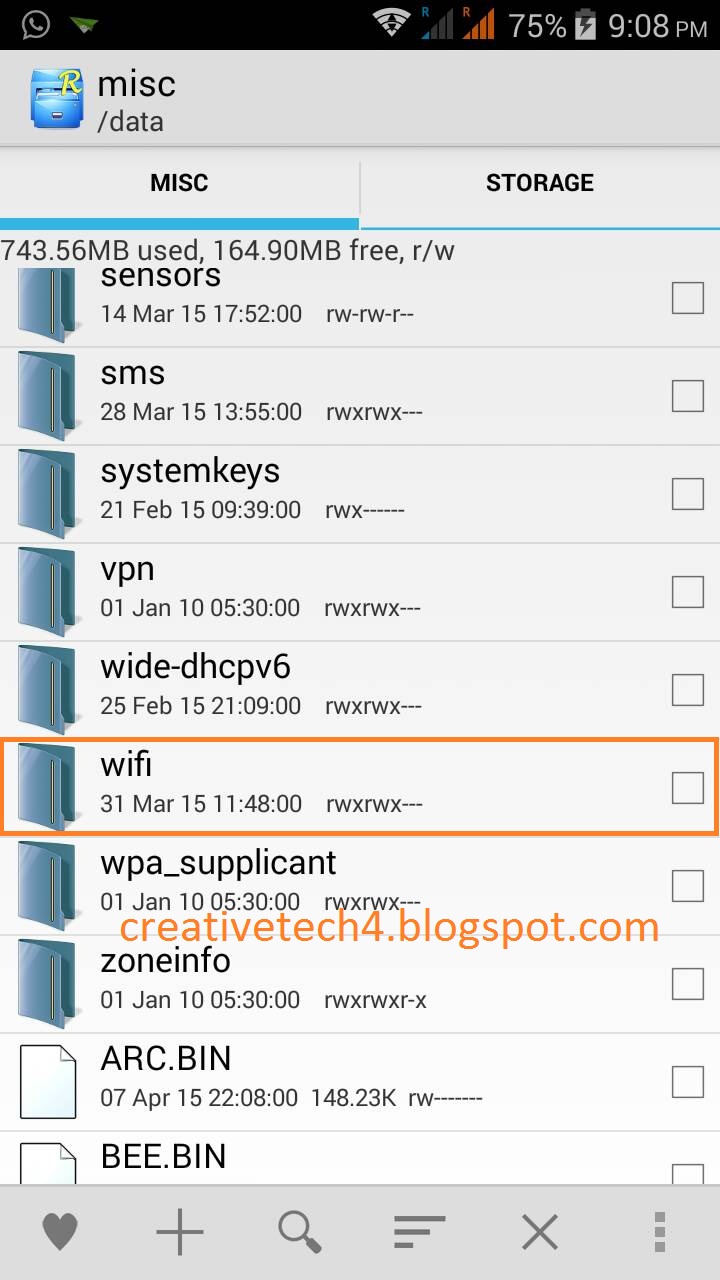
1, install "Root Explorer" in your device and open root directory. Now click and open "data" folder.

2, Now you will see another folder list. Open "misc" folder.
.jpg)
3, Now find "wifi" folder and open it.
.jpg)
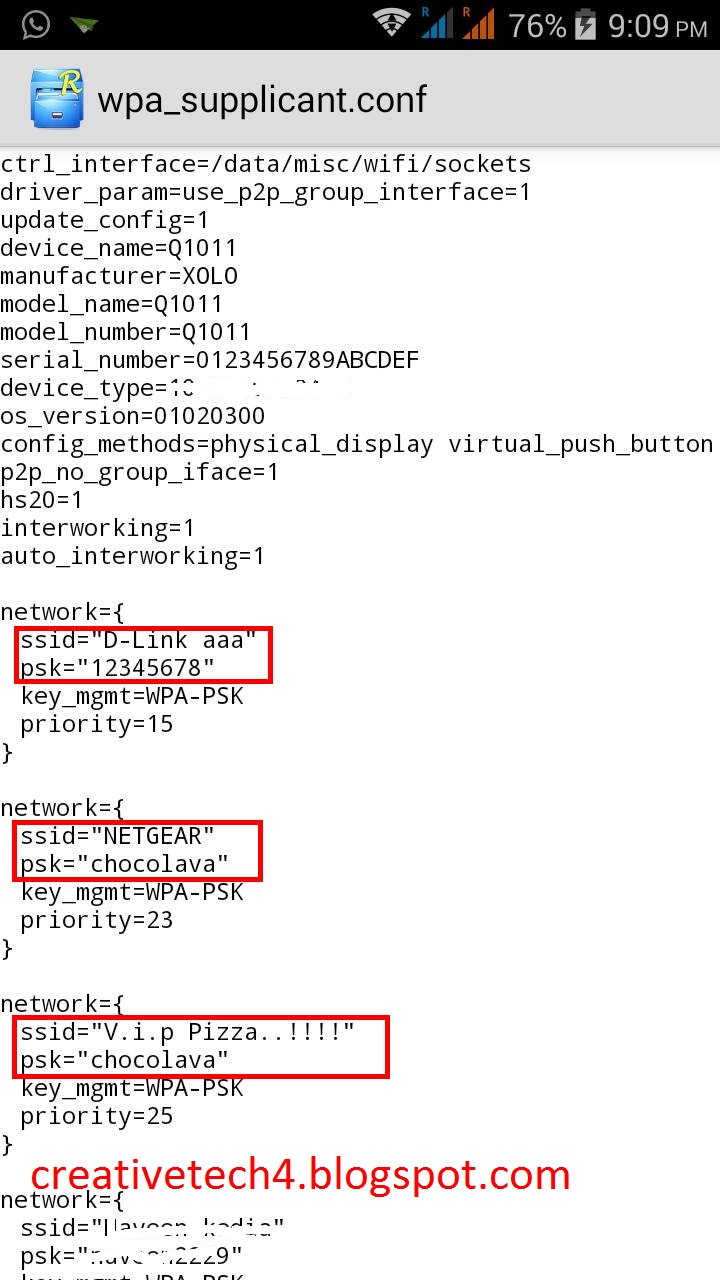
4, Here you will see "wpa_supplicant.conf". Open the file.
.jpg)
5, Now you will able to see the password of your wifi connections.
.jpg)
ssid = Network Name
psk = paswword of wifi connection you saved
Video Tutorial on YouTube.
Please share if you like it.
Available link for download

Monday, May 15, 2017
How to remove windows user or admin password in 7 or 8
How to remove windows user or admin password in 7 or 8

In this tutorial I will show you how can we recover or change or bypass password in windows 7 or 8 without using any third party software.
Im only using Command Prompt to crack login password.
1. First you need to start the Repair process or insert a boot-able disk of windows 7 or windows 8.
2. As the setup started or Repair process starts then Press "SHIFT+F10" then cmd is open suddenly.

3. Now it shows X:Sources>_ . It shows bootable sector source.
Note:- Windows drive letter is changed to "D:" or other alphabet.
4. Now type the command as shown in video:-
If you have another query then contact me or message me.
Available link for download
Subscribe to:
Posts (Atom)